> For the complete documentation index, see [llms.txt](https://help.besmart.software/t4r/llms.txt). Markdown versions of documentation pages are available by appending `.md` to page URLs; this page is available as [Markdown](https://help.besmart.software/t4r/features/list-of-mep-features/split.md).
# Split
Split the duct/pipes to the defined size
**Icon:**
**Location:** ribbon Be.Smart T4R MEP, panel Modify
**Packages:** Be.Smart T4R Silver
{% hint style="info" %}
### Main functionalities and benefits:
* Help save time when need to split ducts to segments of a specified length
* Native Revit functionality is completely missing something like this
{% endhint %}
### Overview
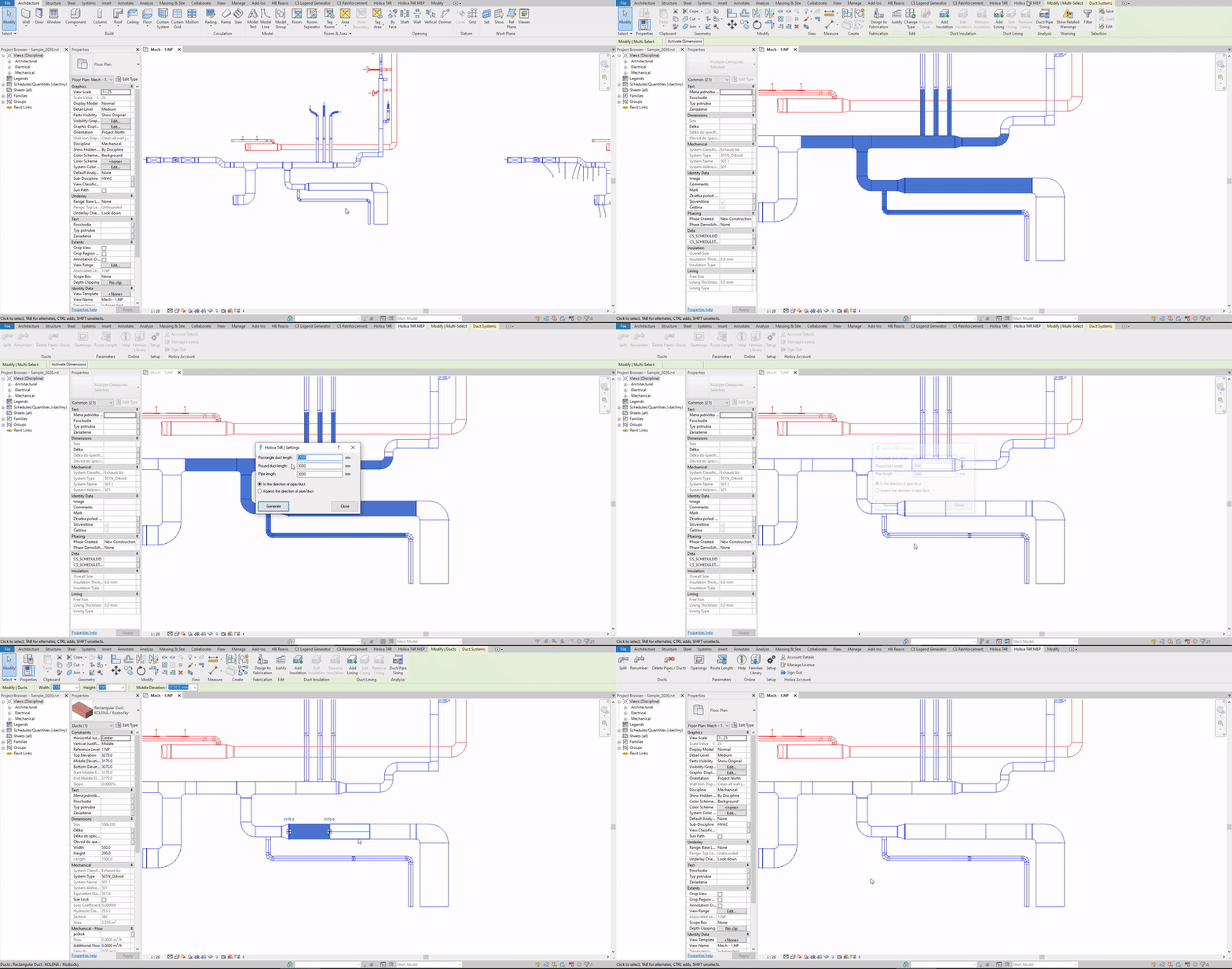
The function Duct Splitter splits the selected duct into segments of a specified length.
Automatically inserts a connecting link in all split points. For globally selected ducts you can specify the segment length individually for rectangular and circular ducts or wastewater pipes.
#### Click to play the video tutorial ↓
{% file src="/files/PHAch7IOXngmVoEESxV3" %}