> For the complete documentation index, see [llms.txt](https://help.besmart.software/older-26.0.0/llms.txt). Markdown versions of documentation pages are available by appending `.md` to page URLs; this page is available as [Markdown](https://help.besmart.software/older-26.0.0/commands-overview/annotations/diameter-h7.md).
# Diameter H7
## Command Description
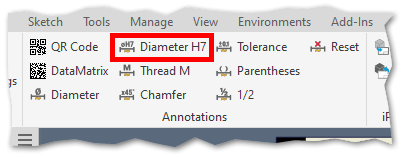
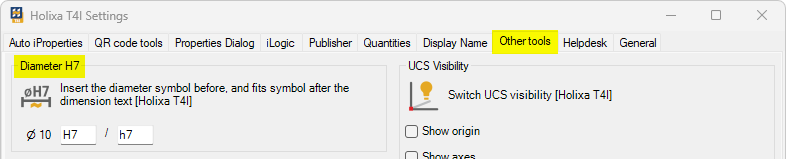
This command adds the diameter symbol before the dimension text and the fits symbol (or just the tolerance for the hole or shaft) after the dimension text. Fits symbols can be adjusted in Holixa T4I settings.
## Command Location
* Drawing environment
## Command Settings
`Holixa T41 ribbon -> Holixa T4I -> Edit settings -> Other tools tab -> Diameter H7`.
The values of the fit can be changed to the most often used, or any of the fields can be left empty.
## Workflow Overview
1. Run the command.
2. Select the dimension.
{% hint style="info" %}
The command can also be used in reverse order (first select the dimension (multiple dimensions) and then run the command).
{% endhint %}